How To Generate a SEO-ready Meta Tags with Ovesio AI (manually)

In this guide, we will demonstrate how to manually generate SEO meta tags using the Ovesio AI dashboard.
This serves as a practical test of our SEO engine’s capabilities.
Please note that once Ovesio is fully integrated into your e-commerce store via plugin or API, all SEO meta tags will be generated automatically.
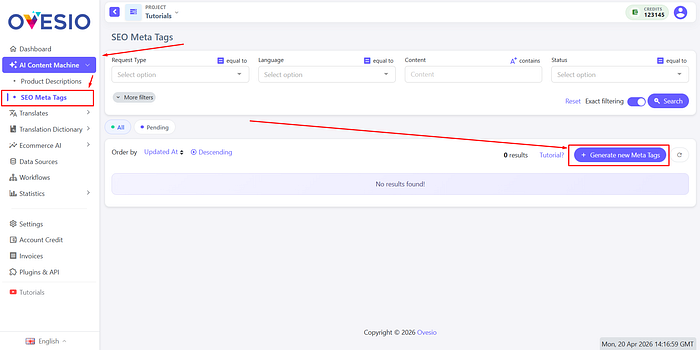
Step 1: Go to the AI Content Machine Tab
Click on “SEO Meta Tags”.
Then, click on “Generate new Meta Tags”.
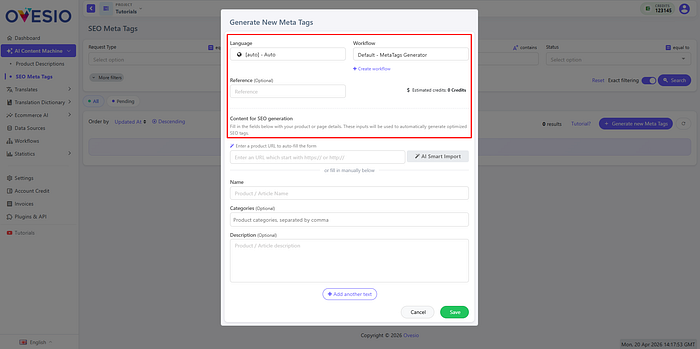
Step 2: The Configuration
Here select the language of the output, and below you can either put the link to one of your products, or add the name, categories, and description manually.
For each additional field, click on the “Add another text” button.
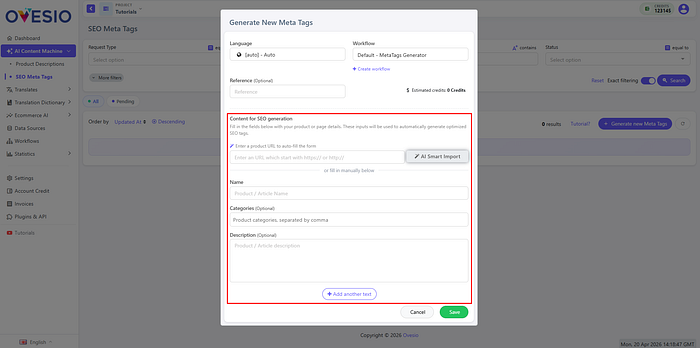
Once you have completed everything, click on “Save”
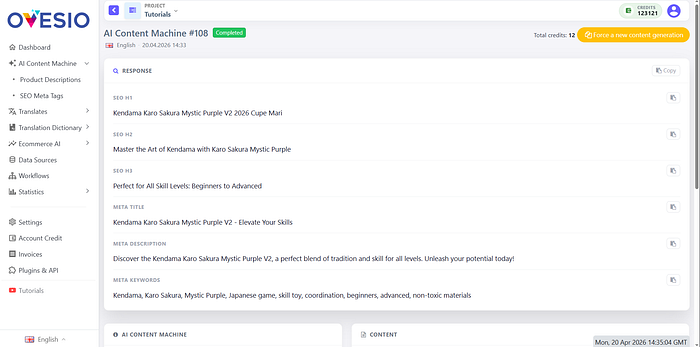
Step 3: Previewing the SEO Meta Tags
Now the SEO meta tags are loading, and in a few seconds they will be visible.
Step 4: Complete Automation
To use Ovesio to its full extent, you need to have it integrated into your store. This instalation, in most cases, it’s just a few clicks.
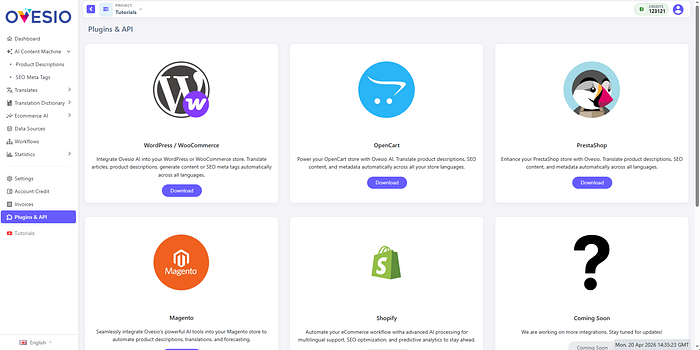
Here’s a link to all our plugins: https://ovesio.com/integrations
If your platform is not there yet, or if you have a custom-built store, here’s the link to our complete API documentation: https://docs.ovesio.com/